A yoga studio owner in Portland asked me to redesign her Squarespace site last March. She had been on Squarespace for two years and the site looked gorgeous. Her problem wasn’t aesthetics. She couldn’t add a class booking system that worked the way she needed. The third-party integration she’d been using charged $49/month, broke her layout on mobile, and didn’t sync with her email marketing tool. She needed custom pricing tiers, package credits, and automatic waitlists. Squarespace couldn’t do any of it natively or through integrations. I rebuilt her site on WordPress with Amelia for booking, WooCommerce for package sales, and FluentCRM for email automation. Total monthly cost went from $82/month (Squarespace Business + booking app + email tool) to $45/month (hosting + plugin licenses). And every feature worked exactly the way her business needed.
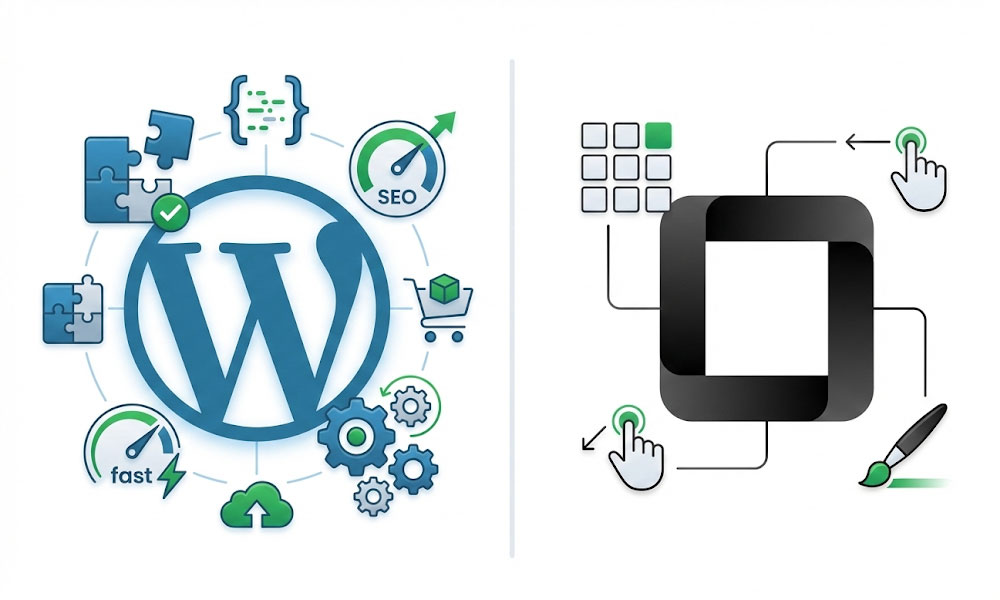
That’s the core tension between WordPress and Squarespace. Squarespace gives you beautiful simplicity with hard limits. WordPress gives you unlimited flexibility with more decisions to make. This comparison covers every factor that matters so you can make the right choice for your specific situation.
The Quick Answer
Choose WordPress if you need SEO control, custom functionality, unlimited design flexibility, WooCommerce for e-commerce, or plan to scale beyond a basic website.
Choose Squarespace if you want a simple, good-looking site with minimal maintenance, have no custom functionality needs, and don’t depend on organic search traffic as your primary growth channel.
For most businesses that plan to grow, WordPress wins. Here’s why, category by category.
Cost Comparison: The Real Numbers
Squarespace pricing looks simple on the surface. WordPress pricing looks complicated. But when you calculate total cost of ownership over 12 months, the picture shifts.
Squarespace costs.
Personal plan: $16/month ($192/year). No e-commerce, no custom CSS, limited integrations. Business plan: $33/month ($396/year). Custom CSS, basic e-commerce (with 3% transaction fee on top of payment processor fees), integrations. Basic Commerce: $36/month ($432/year). No transaction fee, point of sale, customer accounts. Advanced Commerce: $65/month ($780/year). Subscriptions, advanced shipping, abandoned cart recovery.
Those prices look clean, but add the real costs: custom domain ($20-$50/year through Squarespace, cheaper elsewhere but transfer is complex), premium template or design customization ($0-$300 one-time), third-party integrations for functionality Squarespace doesn’t have ($20-$100/month each for booking, email marketing, advanced forms, or membership). A Squarespace Business site with booking and email marketing realistically costs $60-$130/month.
WordPress costs.
Hosting: $14-$35/month (Cloudways, SiteGround, Kinsta). Domain: $10-$15/year (Namecheap, Cloudflare). Theme: $0-$59 one-time (Astra free or Pro). Page builder: $0-$59/year (Elementor free or Pro). Essential plugins: $0-$150/year (RankMath free, WP Rocket $59, security free with Wordfence). Total: $15-$50/month for a professional site with full SEO, full design control, and unlimited functionality.
For e-commerce, add WooCommerce (free) and payment processing (2.9% + $0.30 through Stripe, same as every platform). WordPress e-commerce runs $25-$75/month total. Compare that to Squarespace Commerce at $36-$65/month with less flexibility.
The bottom line. WordPress costs roughly the same or less than Squarespace while giving you significantly more. The full WordPress website cost breakdown covers every scenario in detail.
Design and Flexibility
This is where reputations get misleading. Squarespace is known for beautiful templates. WordPress is known for flexibility. Both reputations are partially outdated.
Squarespace design. Squarespace templates are genuinely polished. The drag-and-drop editor is intuitive. For someone with no design experience, Squarespace produces a professional-looking site faster than WordPress with a default theme. The limitation: you’re designing within a framework. Every Squarespace site follows the same structural patterns. Move a section outside the allowed layout grid and you hit a wall. Custom CSS is available on Business plan and above, but CSS alone can’t overcome structural limitations baked into the template engine. Squarespace Fluid Engine improved flexibility in 2023-2024, but it’s still a controlled sandbox compared to a full page builder.
WordPress design. WordPress with Elementor Pro gives you pixel-level control over every element on every page. Custom breakpoints for tablet and mobile. Motion effects, sticky elements, popup builders, conditional display logic, and custom CSS per widget. The Astra theme I use on every client build adds under 50KB and provides a clean foundation that Elementor designs on top of.
The tradeoff: WordPress requires more design decisions. You’re not starting from a polished template (unless you choose one). You’re building from components. That’s why businesses working with a WordPress designer get sites that look exactly like their brand rather than like a template everyone else also uses.
Verdict. Squarespace wins for DIY simplicity. WordPress wins for design quality, brand differentiation, and anything beyond a standard layout. My design services page shows what’s possible with WordPress and Elementor.
SEO: The Biggest Difference
This is where WordPress pulls decisively ahead. If organic search traffic matters to your business, this section alone should inform your decision.
What WordPress gives you. Full URL structure control (/%postname%/ creates clean, keyword-rich URLs). Complete meta title and description control per page through RankMath. 20+ schema markup types for rich snippets (FAQ, Product, LocalBusiness, Service, HowTo, and more) through RankMath’s built-in schema editor. Full XML sitemap control (include/exclude specific pages, categories, tags). Robots.txt editing. Canonical tag management. 301/302/307 redirect manager built into RankMath. Internal linking with full anchor text control. Page speed optimization through server-level caching, CDN, image compression, and code optimization. Core Web Vitals optimization with granular control over every metric. This is the foundation of every SEO strategy I implement.
What Squarespace gives you. Basic meta titles and descriptions (per page, limited character preview). Auto-generated sitemaps (no customization). Clean URLs (but forced structure with /blog/ prefix on posts that you can’t remove). Basic 301 redirects (manual entry, no automatic detection, no regex). No schema markup editor (limited automatic schema only). No robots.txt control. No canonical tag management beyond basic auto-canonical. Limited page speed optimization (you can’t control server caching, CDN configuration, or code delivery). No Core Web Vitals granular control.
The practical impact. A WordPress site built with proper technical SEO can implement the full 54-point checklist from my audit process. A Squarespace site can implement roughly 15 of those 54 points. The other 39 points either don’t exist in Squarespace or require workarounds that are fragile and limited.
For local businesses, the difference is even sharper. WordPress with RankMath handles LocalBusiness schema, multiple location markup, service area schema, and review aggregation natively. Squarespace handles none of these. An SEO audit on a Squarespace site consistently reveals limitations that can’t be fixed without platform migration.
Verdict. WordPress wins decisively. Not close. If SEO matters to your business, WordPress is the only serious choice among the two.
E-Commerce
Squarespace Commerce handles basic product sales. WooCommerce on WordPress handles everything from basic to enterprise.
Squarespace Commerce. Product listings with variants, inventory management, discount codes, abandoned cart emails (Advanced plan only at $65/month), and integration with Stripe, PayPal, Square, and Afterpay. Works well for stores with simple product catalogs under 100 items, standard shipping, and no complex pricing. The checkout experience is clean and mobile-optimized.
The limits: no wholesale/B2B pricing, no subscription boxes with custom frequency, no product configurators (custom t-shirt builders, meal kit selectors), no complex shipping rules (dimensional weight, multiple warehouses), no advanced tax automation for multi-state compliance, and limited product SEO (no per-product schema customization). Every advanced e-commerce feature requires a third-party integration, and Squarespace’s integration ecosystem is small compared to WordPress.
WordPress + WooCommerce. Free core plugin. 800+ extensions. Handles simple products, variable products, grouped products, virtual/downloadable products, subscriptions, memberships, bookings, auctions, and custom product types. Unlimited customization through WooCommerce development. Product schema markup for rich snippets through RankMath. Full checkout customization through CartFlows or Elementor Pro. My complete guide on how to start an online store covers the full WooCommerce setup.
Verdict. Squarespace for simple stores under 50 products with standard checkout. WordPress for everything else. Also compare WordPress vs Shopify if e-commerce is your primary focus.
Maintenance and Ease of Use
This is Squarespace’s strongest argument and the reason some businesses genuinely should choose it.
Squarespace maintenance. Zero. Squarespace handles hosting, security, SSL, updates, and backups. You never think about PHP versions, plugin conflicts, or server configuration. The editor is intuitive for non-technical users making content updates. This is genuinely valuable for businesses without technical resources or budget for ongoing maintenance.
WordPress maintenance. Plugin updates (monthly), theme updates (quarterly), WordPress core updates (2-3 times per year), PHP version management, security monitoring, backup verification, and occasional troubleshooting. A well-built WordPress site with quality hosting requires about 2-4 hours of maintenance per month. I offer maintenance plans starting at $50/month that handle everything, or you can follow the maintenance checklist to handle it yourself.
The maintenance argument against WordPress is real but often overstated. A properly built WordPress site on quality hosting with a lean plugin stack requires minimal maintenance. The horror stories come from sites built on cheap hosting with 30+ plugins by developers who didn’t follow best practices.
Verdict. Squarespace wins for zero-maintenance simplicity. WordPress wins if you have a maintenance plan or are willing to learn the basics.
Performance and Speed
Squarespace. Loads from Squarespace’s CDN. Average page load: 2.5-4 seconds depending on template and content. You can optimize images before uploading, but you can’t control server response time, caching strategy, JavaScript delivery, or CSS loading. What Squarespace gives you is what you get. Squarespace sites consistently score 40-70 on PageSpeed Insights mobile, with limited ability to improve beyond template constraints.
WordPress. Page speed depends on hosting, theme, plugins, and optimization. A well-optimized WordPress site loads in 1-2 seconds with PageSpeed scores of 90+. The speed optimization guide covers exactly how. WordPress gives you control over every performance lever: server caching, browser caching, CDN configuration, critical CSS, JavaScript defer/delay, image format and compression, database optimization, and code delivery.
Verdict. WordPress wins with proper optimization. Out of the box, both platforms are similar. After optimization, WordPress is significantly faster.
Scalability
Where does your business need to be in 2-3 years?
Squarespace scales to a point. It handles content sites up to a few hundred pages and stores up to a few hundred products. Beyond that, the editor slows down, SEO limitations compound, and you start hitting functionality walls that require increasingly expensive workaround integrations. Many businesses that start on Squarespace eventually migrate to WordPress when they outgrow it.
WordPress scales indefinitely. From a 5-page brochure site to a 10,000-page content platform. From 10 products to 100,000 SKUs. From a single site to a multisite network. WordPress powers 43% of the entire web including enterprise sites for The New Yorker, TechCrunch, Bloomberg, and the White House. Scaling requires appropriate hosting upgrades, but the platform itself has no ceiling. Advanced solutions like API integrations, headless WordPress, and multisite networks are all possible.
Verdict. WordPress. No contest for businesses with growth ambitions.
Migration: Moving from Squarespace to WordPress
If you’re currently on Squarespace and considering the switch, here’s what’s involved:
What transfers. Page content (text, images), blog posts with publication dates, basic product data, and image files. Squarespace’s built-in export creates an XML file that WordPress can import directly for blog content.
What requires manual work. Page layouts and design (Squarespace templates don’t convert to WordPress themes, every page needs redesign), custom CSS, form configurations, e-commerce product variants and customer data, integrations, and SEO metadata (meta titles and descriptions need to be recreated in RankMath).
Critical: URL redirects. Squarespace URLs must redirect to new WordPress URLs or you lose all existing Google rankings and backlinks. This requires a redirect map for every indexed page. Migration services include this as standard.
Timeline. Small content site (under 20 pages): 1-2 weeks. E-commerce store: 2-4 weeks. Complex site with integrations: 3-6 weeks. I’ve handled dozens of Squarespace-to-WordPress migrations on Upwork with zero ranking drops.
Frequently Asked Questions
Is Squarespace easier than WordPress?
For basic content editing, yes. Squarespace’s editor requires less technical knowledge for simple page updates. For anything beyond content editing (SEO, custom functionality, advanced design), WordPress with Elementor is more capable and not significantly harder once set up properly. The initial learning curve is steeper with WordPress, but the ceiling is incomparably higher.
Can Squarespace rank on Google?
Yes, Squarespace sites can rank. But they rank despite SEO limitations, not because Squarespace helps with SEO. Sites competing in moderately competitive niches consistently hit walls with Squarespace’s limited schema, URL constraints, and speed limitations. For competitive keywords, WordPress sites with proper technical SEO and on-page optimization have a measurable structural advantage.
Should I migrate my existing Squarespace site to WordPress?
Migrate if: you need better SEO control, custom functionality, or plan to scale. Stay if: your site is simple, you’re happy with it, and organic search isn’t critical to your business. Don’t fix what’s working unless you’ve outgrown it.
How much does it cost to build a WordPress site vs Squarespace?
DIY Squarespace: $16-$65/month with 5-20 hours of your time. DIY WordPress: $15-$50/month with 10-30 hours of your time. Professional WordPress build: $1,000-$5,000 one-time. Full breakdown on the cost page.
Can I use WordPress without coding?
Absolutely. Between Elementor for design, RankMath for SEO, WooCommerce for e-commerce, and modern hosting dashboards for management, a non-technical user can manage a WordPress site daily without touching code. Complex customization and development require technical expertise, but day-to-day operation does not.
Need Help Choosing or Switching?
I’ve built 400+ WordPress sites and migrated dozens from Squarespace, Shopify, and Wix. If you’re trying to decide or ready to switch, message me on Upwork. I’ll give you an honest recommendation based on your specific business needs, even if that recommendation is to stay on Squarespace.
Browse the portfolio, case studies, and reviews for verified results. Background on the about page. Related: WordPress development, design, Elementor, theme customization, WooCommerce stores, membership/LMS sites, advanced builds, maintenance, migration, and speed optimization. SEO: technical, on-page, audits, link building, and WordPress SEO. FAQ. Contact.