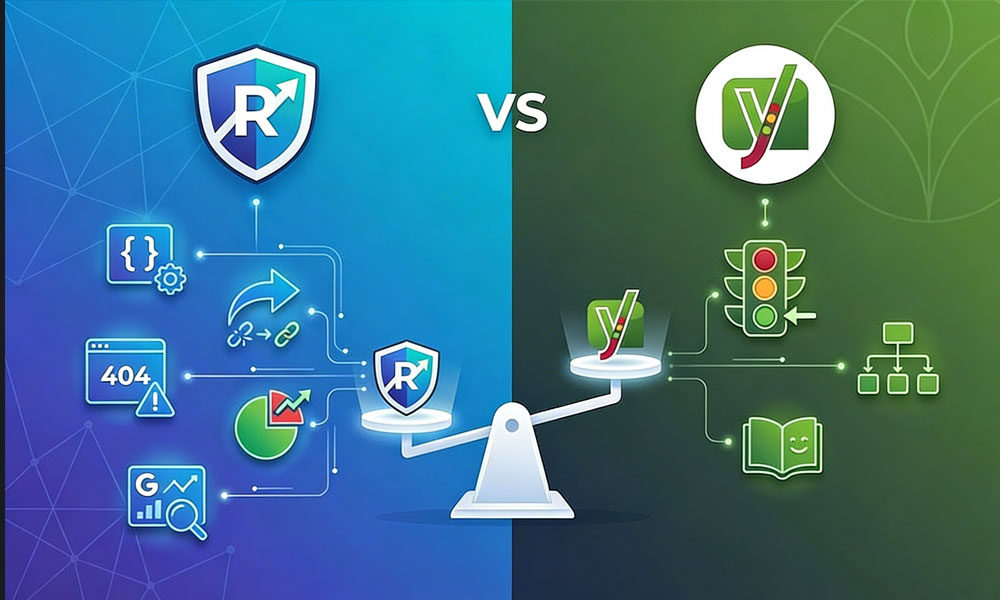
I used Yoast SEO on every WordPress project from 2017 to 2021. Four years, probably 150+ sites, all running Yoast. It was the default. Every WordPress tutorial recommended it. Every developer installed it without thinking. Then a client asked me to try RankMath because they’d read about it online. I figured it was another Yoast clone that would disappear in six months. I installed it, imported the Yoast settings, and within 20 minutes realized I’d been paying $99/year for Yoast Premium features that RankMath included for free.
Since 2021, I’ve migrated over 200 client sites from Yoast to RankMath on Upwork. Not a single client has asked to switch back. Below is a feature-by-feature comparison based on building and optimizing sites with both plugins daily across 400+ projects, not a surface-level review from someone who installed each for an afternoon.
Quick Feature Comparison
Before the deep dive, here’s the full overview. I’ll break down the important differences in the sections below.
| Feature | RankMath Free | RankMath Pro ($59/yr) | Yoast Free | Yoast Premium ($99/yr) |
|---|---|---|---|---|
| Focus keywords per page | 5 | Unlimited | 1 | 5 |
| Schema markup types | 20+ with custom builder | 20+ with variables | 6 basic types | 6 basic types |
| Redirect manager | Built-in | Advanced with regex | Not available | Basic |
| Internal link suggestions | Yes | Advanced | No | Basic |
| Content AI | No | Yes | No | Yes (Yoast AI) |
| 404 monitor | Yes | Yes | No | No |
| XML sitemap customization | Full control | Full control | Limited | Limited |
| Local SEO schema | Yes | Multiple locations | No | Separate plugin ($79/yr) |
| WooCommerce SEO | Yes | Advanced | Basic | Separate plugin ($79/yr) |
| Google Analytics integration | Yes | Yes | No | No |
| Search Console integration | Yes | Yes | No | No |
| Role manager | Yes | Yes | No | No |
| Image SEO (auto alt text) | Yes | Yes | No | No |
| Instant indexing API | Yes | Yes | No | No |
The pattern is clear before reading another word. RankMath’s free version includes features that Yoast locks behind its $99/year premium tier or sells as separate $79/year add-on plugins.
Schema Markup – Where RankMath Wins Decisively
This is the single biggest difference between the two plugins and the primary reason I switched every client site.
Yoast’s schema approach. Supports 6 basic schema types: Article, WebPage, FAQ, HowTo, Organization, and Person. The implementation is rigid. You select a type, fill in basic fields, done. Custom schema requires a separate plugin or hand-coded JSON-LD. For WooCommerce Product schema, you need Yoast WooCommerce SEO at $79/year on top of your existing Yoast Premium subscription.
RankMath’s schema approach. Supports 20+ schema types in the free version: Article, Book, Course, Event, FAQ, HowTo, Job Posting, LocalBusiness, Music, Movie, Organization, Person, Product, Recipe, Restaurant, Service, Software, Video, and more. The custom schema builder lets you create any schema type Google supports with variable insertion that automatically pulls post title, author, date, custom fields, and other dynamic data. For WooCommerce, Product schema with AggregateRating, Offer, and Review markup works out of the box in the free version.
Why this matters for rankings. Schema markup enables rich snippets in Google search results. FAQ rich snippets expand your listing with dropdown question-answer pairs. Product snippets show price, availability, and star ratings. Review snippets show aggregate ratings. Pages with rich snippets consistently achieve 20-30% higher click-through rates than plain results occupying the same position. RankMath lets you implement all of these without paying extra or writing a single line of code. Yoast limits you to basic types unless you pay $99-$178/year for premium plus add-ons.
Real project example. A client’s service page needed Service schema, FAQ schema, and Organization schema on the same page. In RankMath: added all three schema types from the page editor in about 5 minutes, zero code required. In Yoast: Service schema isn’t available at all as a built-in type, FAQ schema is the only additional schema you can add alongside the default page schema, and layering multiple schema types requires manual JSON-LD in a Custom HTML block. This kind of flexibility is foundational to my WordPress SEO setup service.
Redirect Manager – More Important Than You Think
URL redirects are needed constantly during normal site management: when you rename a page, delete an outdated post, restructure URLs during a migration, or fix broken links found during a technical SEO audit.
RankMath free version. Built-in redirect manager supporting 301, 302, 307, 410, and 451 redirect types from the WordPress dashboard. Auto-redirect feature creates a 301 redirect automatically whenever you change a post or page slug, preventing accidental 404 creation. Integrated 404 monitor logs every 404 error with the referring URL, so you can see exactly which broken links need redirects and where visitors are landing on dead pages. Import and export redirect lists for bulk management.
Yoast free version. No redirect manager at all. If you change a URL slug, the old URL becomes a 404 error silently. No 404 monitoring. You need a separate plugin (Redirection, Simple 301 Redirects) or manual .htaccess editing to handle redirects.
Yoast Premium ($99/year). Basic redirect manager added at this tier. Creates redirects when you change slugs. But still no 404 monitor, no regex support, no bulk import/export.
Why this matters practically. A site migration might require 50-200+ redirects. A site restructure might need 20-30. Even routine maintenance generates redirects when outdated pages are consolidated or renamed. Without a redirect manager, every changed URL becomes a broken link that leaks traffic and link equity into 404 pages. Having redirects built into the SEO plugin instead of a separate plugin means one fewer plugin to maintain, one fewer potential security vulnerability, and one unified dashboard for all SEO management.
Content Analysis and On-Page Optimization
Both plugins analyze content and score it against SEO best practices. This is where they’re closest in capability, though meaningful differences still exist.
RankMath content analysis. Scores content 0-100 based on: focus keyword placement (title, meta description, URL, first paragraph, headings, body content, image alt text), content length relative to competitor averages, internal link count, external link presence, and readability metrics. Allows 5 focus keywords per page in the free version (unlimited in Pro). Color-coded scoring with specific actionable suggestions for each factor.
Yoast content analysis. Traffic light system (red, orange, green) based on similar factors: keyword density, keyword placement across key areas, readability (Flesch reading ease score), paragraph length, sentence length, subheading distribution, passive voice usage, and transition word frequency. One focus keyword in free. Five in premium ($99/year).
Readability analysis. Yoast has a slightly more detailed readability analysis with Flesch reading ease scoring, passive voice percentage tracking, sentence variety checks, and transition word analysis. RankMath checks readability but with fewer granular metrics. For most WordPress site owners, this difference is marginal because the core recommendations from both plugins lead to the same outcome: clear, scannable content.
The meaningful difference. RankMath gives you 5 focus keywords for free. Yoast gives you 1. If you’re doing proper on-page SEO and targeting a primary keyword plus 2-3 secondary keywords per page (which is standard practice in my SEO services), RankMath lets you track optimization for all of them without paying. With Yoast free, you’re blind to how well your page is optimized for secondary keywords.
XML Sitemap Control
RankMath. Full sitemap customization: include or exclude specific post types, taxonomies, and individual URLs. Separate sitemaps generated for posts, pages, categories, and custom post types. Image sitemap inclusion. Automatic search engine ping on content updates. HTML sitemap shortcode available for user-facing sitemaps. Granular control over which URLs appear, which is critical during technical SEO cleanup when you need to remove low-value pages from the sitemap without noindexing them entirely.
Yoast. Generates sitemaps automatically but with less granular control. You can exclude entire post types but not individual URLs without noindexing them (which removes them from search entirely, not just from the sitemap). No HTML sitemap option in the free version.
Performance and Speed Impact
SEO plugins load on every page of your site, both front-end for visitors and back-end in the admin. A heavy SEO plugin directly conflicts with speed optimization goals.
RankMath. Modular architecture designed around efficiency. Disable features you don’t use (404 monitor, redirects, local SEO, image SEO, analytics) and those modules don’t load at all. Active modules load only their required assets. Front-end footprint is minimal: primarily outputs meta tags and schema JSON-LD in the document head, which is lightweight text data, not render-blocking CSS or JavaScript files.
Yoast. Historically heavier than RankMath in resource usage. Loads admin bar features, breadcrumb CSS (even if you don’t use Yoast breadcrumbs on the front end), and assessment panels in the block editor. Yoast has improved performance over recent major versions, but the total plugin file size remains larger and more background processes run during page generation.
Real-world measurement. On a clean test installation with identical content, theme, and hosting, RankMath added 0.02-0.04 seconds to page generation time. Yoast added 0.03-0.06 seconds. The individual page difference is small, but it compounds meaningfully across hundreds of pages being crawled by Googlebot in a single session and across thousands of daily visitor page views. Neither plugin will single-handedly break your Core Web Vitals, but RankMath is consistently the leaner option.
Pricing Breakdown – The Math That Made My Decision
RankMath Free ($0). Schema (20+ types with custom builder), redirect manager, 404 monitor, 5 focus keywords per page, full XML sitemap control, image SEO with auto alt text, local SEO schema, WooCommerce SEO, Google Analytics dashboard integration, Search Console integration, role manager, instant indexing API. All free, no feature walls.
RankMath Pro ($59/year). Everything in free plus unlimited focus keywords, advanced schema with dynamic variables, Google Trends integration, advanced 404 analytics, content AI assistant, keyword rank tracker, email reporting, and priority support.
Yoast Free ($0). Content analysis with traffic light scoring, 1 focus keyword, basic schema (6 types), XML sitemaps with limited control, and breadcrumbs. That’s the core offering.
Yoast Premium ($99/year). Everything in free plus 5 focus keywords, basic redirect manager (no 404 monitor, no regex), internal link suggestions, and AI content generation.
Yoast WooCommerce SEO ($79/year). Separate additional purchase required for Product schema, product-specific sitemaps, and breadcrumbs for WooCommerce products. Does not include Yoast Premium features.
Yoast Local SEO ($79/year). Another separate purchase for local business schema, multiple location support, and Google Maps integration.
Total cost comparison for a WooCommerce store with local SEO needs:
RankMath Pro: $59/year (everything included in one plan)
Yoast full ecosystem: $257/year ($99 premium + $79 WooCommerce + $79 Local SEO)
That’s a $198/year difference. Over 3 years: $594 saved by using RankMath. And the critical point: RankMath’s free version already includes WooCommerce and local SEO schema that Yoast charges separately for. A business owner using RankMath free versus Yoast’s full paid ecosystem saves $257/year while getting more schema types, redirect management, 404 monitoring, and Search Console integration that Yoast doesn’t offer at any price tier.
When Yoast Is Still a Reasonable Choice
I’m recommending RankMath across the board for new projects, but I won’t pretend Yoast has zero advantages. Here’s when sticking with Yoast makes sense.
Your site runs Yoast and everything works. If your SEO is performing well, your schema validates correctly, and you don’t need redirect management or 404 monitoring from your SEO plugin, switching introduces migration risk for minimal immediate gain. “Don’t fix what isn’t broken” applies here, especially for sites with strong rankings you can’t afford to disrupt.
Your content team is trained on Yoast. If multiple editors know Yoast’s interface and switching means retraining a team of 5-10 people, the productivity cost during the transition might outweigh the feature benefits for your specific situation.
You specifically value Yoast’s readability analysis. Yoast’s Flesch reading ease integration, passive voice detection, and transition word analysis are marginally more detailed than RankMath’s readability checks. If content readability scoring is the primary reason you use an SEO plugin and you rely heavily on those specific metrics, Yoast’s analysis is slightly more granular.
You’re on a managed host with Yoast pre-installed and configured. Some hosting providers bundle Yoast with their WordPress installations. If it’s already configured and performing, there’s no urgent reason to change unless you specifically need features Yoast doesn’t offer (which for most growing sites, you eventually will).
For new sites, new development projects, sites needing better schema implementation, and any site that would benefit from redirect management or 404 monitoring without additional plugins, RankMath is the stronger choice in 2026.
How to Migrate from Yoast to RankMath
If you decide to switch, the migration is straightforward. RankMath handles most of it through an automated import wizard.
Step 1: Install RankMath alongside Yoast (both can be active briefly during migration). RankMath automatically detects Yoast and offers a one-click import during its setup wizard.
Step 2: Run the import wizard. RankMath imports all focus keywords, meta titles and descriptions, robots meta settings (noindex/nofollow), social media metadata (Open Graph, Twitter Cards), XML sitemap configuration, redirects (if migrating from Yoast Premium), and breadcrumb settings. The import preserves every SEO setting you’ve configured.
Step 3: Verify imported data. Check 5-10 key pages to confirm meta titles, descriptions, and schema transferred correctly. Check your sitemap at /sitemap_index.xml to verify all expected pages are included. If migrating from Yoast Premium, verify all redirects imported properly using RankMath’s redirect manager.
Step 4: Configure RankMath features that Yoast didn’t have. Enable the 404 monitor. Review the redirect manager. Connect Google Search Console for in-dashboard keyword data. Enable image SEO for automatic alt text generation. Configure local SEO schema if applicable. Set up WooCommerce schema for product pages.
Step 5: Deactivate and delete Yoast. Only after verifying everything imported correctly. Keep only one SEO plugin active at any time. Two SEO plugins running simultaneously cause duplicate schema markup, conflicting canonical tags, double XML sitemaps, and confused search engine crawlers. This is point 43 on my technical SEO checklist.
Timeline. 30-60 minutes for most sites. I’ve done this migration 200+ times across Upwork projects. If you’re uncomfortable doing it yourself, it’s a quick fixed-price project. My WordPress SEO setup service includes full RankMath configuration from scratch or migration from Yoast with post-migration verification.
My RankMath Configuration for Client Sites
This is the configuration I apply across every WordPress development and SEO project. It’s the setup behind every case study result on my site.
General Settings. Breadcrumbs enabled (matching visual breadcrumbs in Elementor template). 404 monitor enabled. Redirects module enabled. Role manager configured (editors can edit SEO meta, only admins change global settings). Image SEO enabled with auto alt text based on filename patterns.
Titles and Meta. Homepage: custom title and description targeting primary keyword. Posts: %title% | %sitename% format. Pages: custom per page during on-page SEO optimization. Archives: categories indexed with custom descriptions, tags noindexed, author archives redirected to about page, date archives noindexed. Attachment pages: redirected to parent post.
Sitemap Settings. Posts and pages included. Categories included (only if they have custom descriptions and 3+ posts). Tags excluded. Author sitemap excluded. Image sitemap enabled.
Schema Settings. Site-wide entity: Person (for personal brand sites like mine) or Organization (for business sites). Default schema per post type: Article for blog posts, WebPage for pages, Product for WooCommerce products. Per-page schema additions: FAQPage where FAQ sections exist, Service on service pages, LocalBusiness on location pages.
Search Console Integration. Connected to GSC for in-dashboard keyword data showing which queries bring traffic, click-through rates, and average positions without leaving WordPress. This data directly informs on-page optimization decisions and content strategy during SEO audits.
Frequently Asked Questions
Will switching from Yoast to RankMath hurt my rankings?
No. SEO plugins output meta tags and schema in the page source. All of that data transfers during migration. Your content, URLs, backlinks, and site structure remain completely unchanged. I’ve migrated 200+ sites with zero ranking drops attributable to the plugin switch itself. Monitor Google Search Console for 2-3 weeks post-migration to confirm stability.
Is RankMath really free or is it freemium bait?
The free version is genuinely powerful and fully functional. Schema (20+ types), redirects, 404 monitor, 5 focus keywords, image SEO, local SEO, and WooCommerce SEO are all free with no feature walls or usage limits. Pro ($59/year) adds advanced features like content AI, rank tracking, and advanced schema variables. Most small business sites never need Pro.
Can I use both RankMath and Yoast at the same time?
Only during migration (minutes, not days). Running both simultaneously causes duplicate schema markup, conflicting canonical tags, double XML sitemaps, and confused crawlers. Pick one, complete the migration, delete the other. This is a common technical SEO mistake I check for on every audit.
Which plugin is better for WooCommerce SEO?
RankMath includes Product schema, product sitemaps, and breadcrumbs for WooCommerce in the free version. Yoast requires a separate WooCommerce SEO plugin at $79/year on top of Yoast Premium ($99/year). RankMath wins on both features and cost for e-commerce sites.
Does RankMath work with Elementor?
Full compatibility with Elementor and Elementor Pro. The SEO analysis panel appears in the Elementor editor sidebar. Schema, meta titles, and descriptions are editable from within Elementor’s interface. I use RankMath + Elementor Pro on every design and development project.
The Bottom Line
RankMath gives you more features for free than Yoast gives you for $99-$257/year. The schema system alone justifies the switch for any site that needs rich snippets. The built-in redirect manager, 404 monitor, and Google Search Console integration eliminate the need for 2-3 separate plugins. And RankMath Pro at $59/year covers every advanced feature that Yoast charges $257/year for across its fragmented plugin ecosystem.
I switched. My clients switched. Rankings stayed the same or improved because proper schema markup, redirect management, and 404 monitoring became possible without workarounds, additional plugins, or premium add-on fees.
If you want RankMath configured properly from day one or migrated safely from Yoast, that’s a quick fixed-price project on Upwork. Browse the portfolio, case studies, and reviews for results. Background on the about page. Pricing on the cost page. Related services: technical SEO, on-page SEO, SEO audits, link building, speed optimization, and maintenance. Platform comparisons: WordPress vs Shopify and WordPress vs Wix. Theme customization, WooCommerce, membership/LMS, migration, malware removal, and advanced solutions. Hiring guide: how to hire a developer. FAQ. Contact.