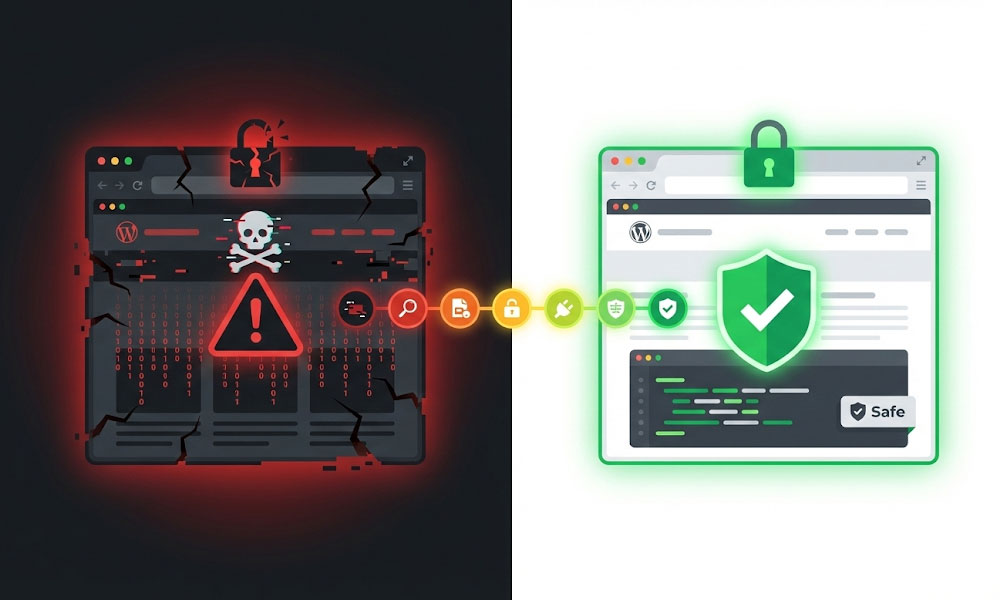
If you’re reading this, your WordPress site is probably hacked right now. I know the feeling. Your hosting provider sent an email. Or Google is showing a “This site may be hacked” warning. Or your customers are seeing pharmacy ads on your homepage. Or your site is redirecting to a gambling website. Take a breath. This is fixable.
I’ve cleaned malware from hundreds of WordPress sites on Upwork. Most infections follow the same patterns and the cleanup process is systematic, not guesswork. Below is the exact process I follow, in order, to identify the infection, clean it, remove backdoors, harden security, and get your site back to normal. If you want this handled professionally, my malware removal service covers everything below for $100-$500 with same-day turnaround for urgent cases.
Step 1: Confirm the Hack and Identify the Type
Before cleaning anything, understand what happened. Different hack types require different cleanup approaches.
Redirects to spam sites. Your site redirects visitors to gambling, pharmaceutical, or adult sites. Usually caused by injected JavaScript in theme files, .htaccess modifications, or database injection in wp_options. This is the most common WordPress hack in 2026.
Pharma hack / SEO spam. Your site looks normal to you, but Google shows your pages with pharmaceutical keywords (Viagra, Cialis) in search results. Hackers inject hidden content visible only to search engines. Check: search site:yourdomain.com in Google and look for pages you didn’t create.
Malware download / drive-by download. Your site serves malware to visitors. Browsers show warnings. Google Safe Browsing blocks your site. This is the most urgent type because it actively harms your visitors and gets your site blocklisted fast.
Defacement. Your homepage is replaced with a hacker’s message. Usually the simplest to clean but indicates the attacker had full admin access, meaning deeper compromise is likely.
Backdoor access. No visible symptoms yet, but the attacker has planted files that give them persistent access. Often discovered during routine security scans or hosting provider notifications.
How to confirm. Check Google Safe Browsing status: transparencyreport.google.com/safe-browsing/search?url=yourdomain.com. Check Google Search Console for security issues. Scan with Wordfence (free) or Sucuri SiteCheck (free online scanner). Check .htaccess file for injected redirect rules. Check wp-config.php for unfamiliar code at the top or bottom.
Step 2: Contain the Damage
Before cleanup, prevent further damage.
Put the site in maintenance mode or take it offline temporarily. This prevents visitors from being affected and stops the infection from spreading.
Change all passwords immediately. WordPress admin passwords, FTP/SFTP passwords, hosting control panel password, database password (in hosting panel, then update wp-config.php to match). The attacker may have your credentials.
Revoke all active sessions. In WordPress admin: Users > Your Profile > Log Out Everywhere Else. Do this for every admin account.
Create a full backup of the infected site. Yes, back up the hacked version before cleaning. If the cleanup goes wrong, you need the ability to start over. Label this backup clearly as “INFECTED – DO NOT RESTORE” so it’s never accidentally used.
Contact your hosting provider. Inform them your site is compromised. Some hosts provide initial scanning or can isolate your account to prevent cross-contamination on shared hosting. Ask if they have a clean backup from before the infection date.
Step 3: Clean the Infection – Files
File cleanup is the most labor-intensive part. This is where most DIY cleanup fails because people clean visible infections but miss the hidden ones.
Replace WordPress core files. Download a fresh WordPress installation from wordpress.org. Replace the entire wp-admin/ directory and wp-includes/ directory with clean copies. These directories should never contain custom code, so replacing them is safe and eliminates any core file infections.
Check wp-config.php. Open your wp-config.php and compare it line by line with a fresh wp-config-sample.php. Look for: unfamiliar require() or include() statements, base64-encoded strings (base64_decode), eval() functions, unfamiliar PHP code above the opening. Encrypted backdoors that are harder to detect because the malicious code is encoded.
How to find them. Use Wordfence scan (premium version has better detection). Manually search for suspicious PHP patterns across all files: grep -r "eval(" wp-content/, grep -r "base64_decode" wp-content/, grep -r "assert(" wp-content/. Compare file modification dates with your last known clean date. Any file modified after the infection date is suspicious.
Step 6: Harden Security to Prevent Re-infection
Cleanup without hardening guarantees re-infection. The vulnerability that allowed the initial hack still exists unless you close it.
Update everything. WordPress core to latest version. All plugins to latest versions. Theme to latest version. PHP to 8.2+. Outdated software with known vulnerabilities is the entry point for most WordPress hacks.
Remove unused themes and plugins. Every inactive theme and plugin is an attack surface. If it’s not active and needed, delete it completely (deactivating is not enough because the files still exist and can be exploited). This is standard practice in my WordPress development process.
File permissions. Directories: 755. Files: 644. wp-config.php: 600 or 640. .htaccess: 644. Incorrect permissions (like 777) allow anyone to write to your files.
Security headers and .htaccess hardening. Disable PHP execution in uploads directory (add to .htaccess in wp-content/uploads/: deny from all ). Disable directory browsing. Protect wp-config.php from web access. Disable file editing in wp-admin (add define('DISALLOW_FILE_EDIT', true); to wp-config.php).
Install a security plugin. Wordfence (free version covers most needs) or Sucuri. Configure: firewall rules, login protection, file change detection, and scheduled scanning.
Change all passwords again. After cleanup, change every password one more time. The attacker may have captured credentials during the infection period. Use strong, unique passwords. Enable two-factor authentication for all admin accounts.
Set up ongoing monitoring. Automated daily malware scans, uptime monitoring, file integrity monitoring, and login attempt monitoring. My maintenance plans include all of this plus automatic updates that prevent the vulnerability from recurring.
Step 7: Request Google Review (If Blocklisted)
If Google shows “This site may be hacked” or “This site may harm your computer” warnings, your site is in Google’s Safe Browsing blocklist. Traffic drops 90%+ until the warning is removed.
After cleanup is complete, submit a reconsideration request through Google Search Console > Security & Manual Actions > Security Issues > Request a Review. Describe what you found, what you cleaned, and what security measures you implemented. Google reviews typically take 1-3 business days. If they find remaining issues, they’ll deny the request with details about what’s still problematic.
Rebuild your sitemap and resubmit through Google Search Console. Request re-crawl of your most important pages. Monitor index coverage over the following weeks to ensure pages return to the index. Full WordPress SEO recovery is part of my cleanup service.
How to Know If Cleanup Was Successful
Immediate checks. Site loads normally without redirects. Google Safe Browsing shows no issues. Wordfence or Sucuri scan returns clean. No unfamiliar files in root, themes, plugins, or uploads directories.
7-day checks. No re-infection symptoms. Google Search Console shows no new security issues. Server access logs show no suspicious POST requests to unfamiliar files.
30-day checks. Google warning removed (if applicable). Rankings recovering. No new malware scan alerts. No unauthorized user accounts.
If the site gets re-infected within days, a backdoor was missed. Start again from Step 5 with more thorough scanning, or hire professional help.
Frequently Asked Questions
How much does WordPress malware cleanup cost?
$100-$500 depending on infection severity and site complexity. WooCommerce stores with customer data require extra careful handling. Same-day service available for urgent cases. Fixed price on Upwork. Full pricing on the cost page.
Can I clean the hack myself?
Yes, if you’re comfortable with PHP, FTP, and database queries. Steps 1-2 and Step 6 are accessible to most site owners. Steps 3-5 (file cleaning, database cleaning, backdoor removal) require technical skills to avoid missing hidden infections.
How did my site get hacked?
Most common causes: outdated WordPress core or plugins with known vulnerabilities, weak admin passwords, compromised hosting account (shared hosting cross-contamination), nulled/pirated themes or plugins containing built-in backdoors.
Will I lose my content?
No. Cleanup removes malicious code, not your content. Your pages, posts, images, products, and settings remain intact. In rare cases where malware has corrupted database entries, backup restoration may be needed for affected content.
How do I prevent future hacks?
Keep everything updated (WordPress, plugins, themes, PHP). Use strong passwords with 2FA. Install a security plugin. Set correct file permissions. Remove unused plugins and themes. Consider a maintenance plan that handles all of this automatically.
Need Emergency Malware Cleanup?
Don’t let a hack sit. Every hour your site stays infected, Google’s blocklist gets harder to reverse, your SEO rankings drop further, and your visitors lose trust. I’ve cleaned hundreds of hacked WordPress sites on Upwork. Same-day service. Fixed price. No hourly surprises. Your site clean and secured by tomorrow.
Visit my portfolio, case studies, and reviews for verified results. Learn more on the about page or browse the FAQ. Hiring guide: how to hire a WordPress developer. Related services: technical SEO recovery, speed optimization post-cleanup, migration to secure hosting. Platform comparisons: WordPress vs Shopify and WordPress vs Wix (security differences). Design, Elementor, themes, WooCommerce, membership sites, advanced builds, on-page SEO, link building, and SEO audits all require a clean, secure foundation. Contact me to get started.